


Digital Employee Experience Excellence for Citrix Environments
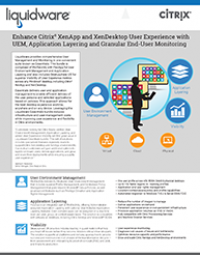
Unlock unparalleled Digital Employee Experience (DEX) excellence through Liquidware's strategic partnership with Citrix. As a trusted verified Citrix Ready partner, we bring forth a powerful set of solutions to add value and functionality to Citrix Virtual Apps and Desktops (CVAD) and Citrix Desktops as a Service (DaaS) environments. Our collaboration ensures that organizations leveraging Citrix technologies can optimize their DEX, elevate user experiences, and streamline IT management.
Liquidware Solutions Tailored for Citrix Environments:
FlexApp: Revolutionizing Application Delivery in Citrix Environments
FlexApp excels in delivering applications dynamically and on-demand, optimizing performance, and enhancing overall productivity. By leveraging FlexApp, you can dramatically reduce the number of base images in your Citrix environment. This not only saves valuable time and resources but also translates into cost savings. Now, in Citrix v2311 and forward, Citrix has integrated FlexApp One deployment side-by-side of MSIX App Attach, giving Citrix customers a high compatibility alternative or complement for 90-100% attached app greatness.
ProfileUnity: Effortless User and Application Management for Citrix CVAD and DaaS
ProfileUnity streamlines any large-scale Microsoft Windows deployments with full user environment and application management features, ensuring a seamless DEX across your Citrix infrastructure and any other Windows workspaces in your environment. The solution can complement current Citrix Profile Manager and Microsoft FSLogix profile tool strategies.
Stratusphere UX: Comprehensive Monitoring and Optimization for Citrix DEX
Elevate your Citrix DEX with Stratusphere UX, a monitoring, analytics, and diagnostics solution. Gain actionable insights into the health and performance of your user environment, ensuring Citrix CVAD and DaaS users experience unmatched efficiency and responsiveness.
CommandCTRL: Real-Time Remediation Empowerment for Citrix DEX
Empower your IT team with CommandCTRL, a revolutionary real-time remediation solution designed with Citrix environments in-mind. Ensure optimal DEX by proactively addressing issues in real-time, enhancing the overall Citrix CVAD and DaaS experience for users.
Why Choose Liquidware for Citrix Solutions?
- Proven Integration: Our solutions seamlessly integrate with Citrix technologies, ensuring a smooth and cohesive user experience. FlexApp One is direct deployment is integrated in Citrix Web Studio from Citrix v2311 and forward.
- Enhanced Flexibility: Tailor your Citrix CVAD and DaaS deployments with our flexible solutions, adapting to the unique needs of your organization.
- Optimized Performance: Experience top-tier performance in Citrix environments, unlocking the full potential of your DEX.
Choose Liquidware to revolutionize your Citrix deployments and provide unparalleled DEX solutions to your customers. Whether you are an end-user organization or a channel partner, Liquidware and Citrix together pave the way for a new era in digital workspace optimization. Contact Liquidware for more information.